> For the complete documentation index, see [llms.txt](https://giantgrey.gitbook.io/tileworldcreator-v4-documentation/llms.txt). Markdown versions of documentation pages are available by appending `.md` to page URLs; this page is available as [Markdown](https://giantgrey.gitbook.io/tileworldcreator-v4-documentation/using-tile-overrides.md).
# Using Tile Overrides
Tile Overrides are a great way to mask or replace tiles for mixing different tile presets or even objects.
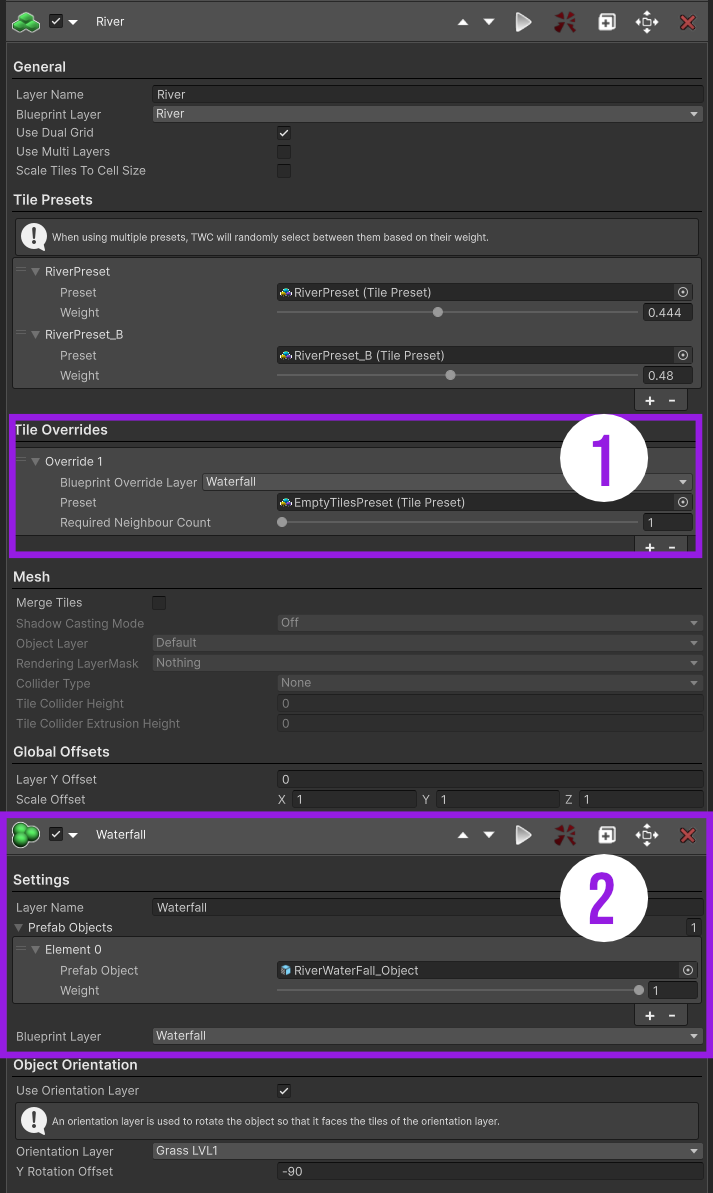
Here's a screenshot from the Stylized Island sample:
(1) You can see that the river layer has one override with an assigned waterfall blueprint layer. By using an empty tile preset (a tile preset with no prefabs assigned) river tiles located on the same position as the waterfall blueprint layer cells get simply masked out.
(2) Here you see an object build layer which simply uses the waterfall blueprint layer to place the waterfall object.
## Required Neighbour Count
When Dual Grid is enabled, an additional option called **Required Neighbour Count** appears. This value defines how many neighboring blueprint cells are needed for a tile to be replaced by the override preset. Check the example images below for a better understanding of this concept.\
Note: This setting only applies when Dual Grid is enabled. Otherwise, the override condition defaults to a 1-to-1 replacement.
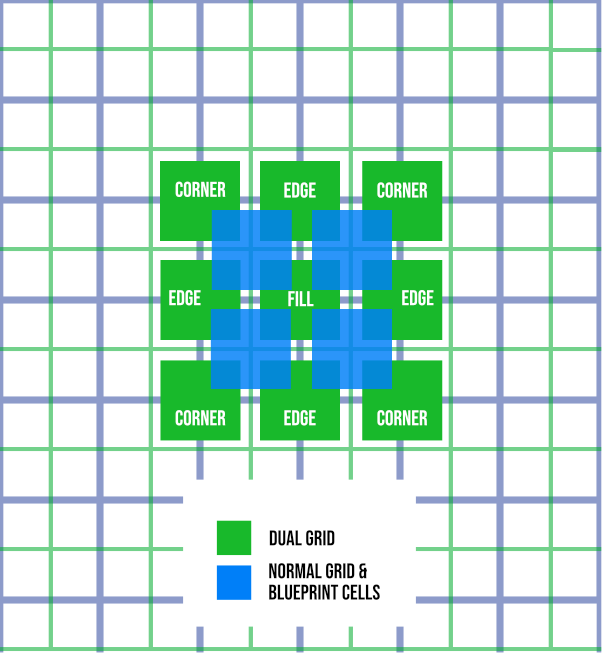
Dual Grid offsets the standard grid by half a cell, causing instantiated tiles to be placed with a slight offset. This approach significantly simplifies tile organization, requiring only five tile types. Artistically, it also provides more "space," allowing tiles to be fully round or more visually distinct.
Read more about dual and standard grid here:
{% content-ref url="/pages/jrYdEsX9RDgFHc0Jz3nI" %}
[Dual- & Standard Grid](/tileworldcreator-v4-documentation/dual-and-standard-grid.md)
{% endcontent-ref %}
### Neighbour Count = 1
In this example, the **Neighbour Count** is set to 1. When two cells from the override blueprint layer (shown in yellow) are placed as in the image, six tiles (shown in violet) are replaced—because each of them has at least one neighboring cell.
### Neighbour Count = 2
When the **Neighbour Count** is set to 2, only two tiles (violet) will be replaced, as only those have two neighboring cells (yellow).