> For the complete documentation index, see [llms.txt](https://giantgrey.gitbook.io/tileworldcreator-v4-documentation/llms.txt). Markdown versions of documentation pages are available by appending `.md` to page URLs; this page is available as [Markdown](https://giantgrey.gitbook.io/tileworldcreator-v4-documentation/custom-tiles.md).
# Custom Tiles
Creating custom tiles requires knowledge of a 3D modeling software like Blender. You can of course also use a simple quad mesh and create custom textures for each tile type. Please have a look at the 2.5D Tiles and the 2.5D Island sample scene for this purpose.
**Here are some tips and tricks for you to create custom tiles.**
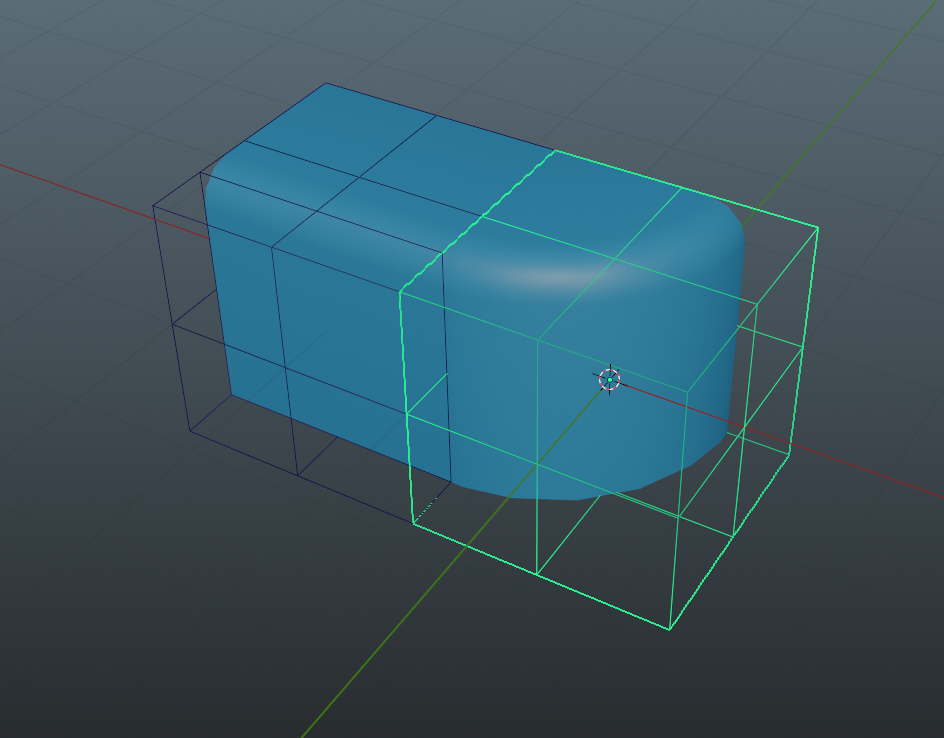
1. Use a cube 1x1 as the boundings reference, and make sure the 3D mesh of the tile stays inside of this cube. In the following image you can see the reference cube (highlighted) I've used to create the corner tile. I've added some additional edges to it for reference.
2. Make sure vertices snap to the next tile to prevent unwanted gaps.
3. Set the pivot point to the center of the tile before exporting. Use the reference cube to snap the pivot point accordingly.
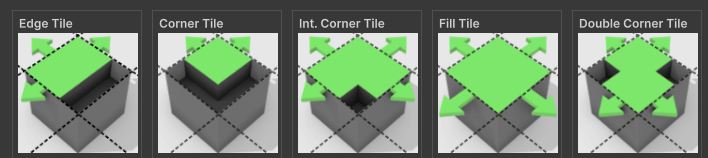
4. If not required, create tiles for the Dual Grid workflow as this reduces required tiles to only 5.
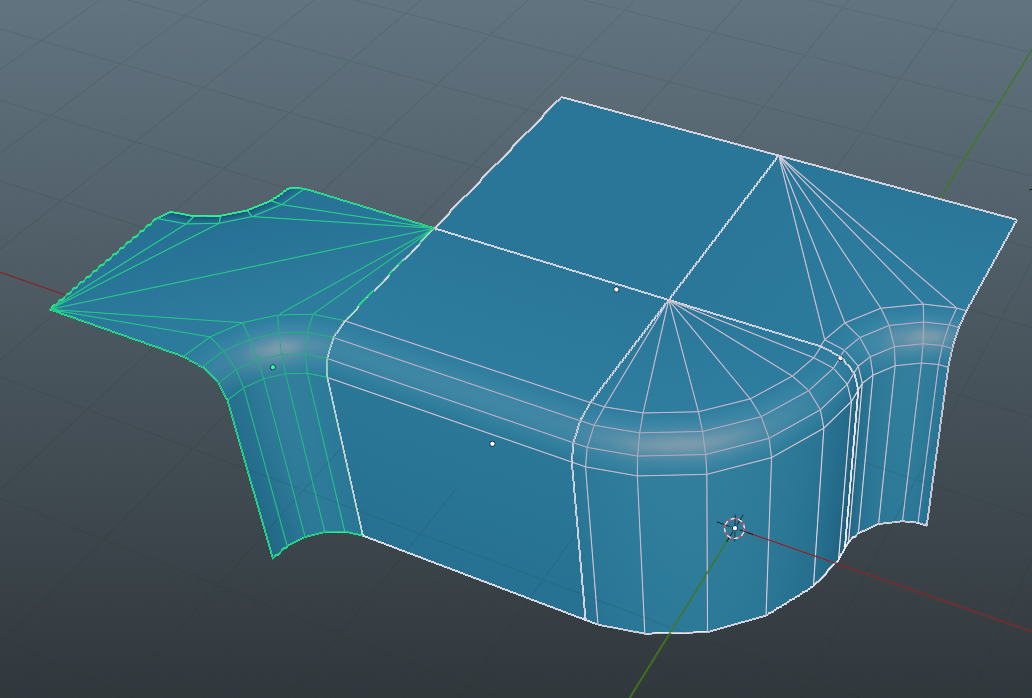
Final BaseBlock tileset
5. If you're creating tiles for the dual grid workflow, remember that you can freely use the whole space of the before mentioned bounding reference cube. So for example the outer edge of a corner tile can expand
### Dual Grid tile types
* Edge
* Corner
* Interior Corner
* Double Corner
* Fill
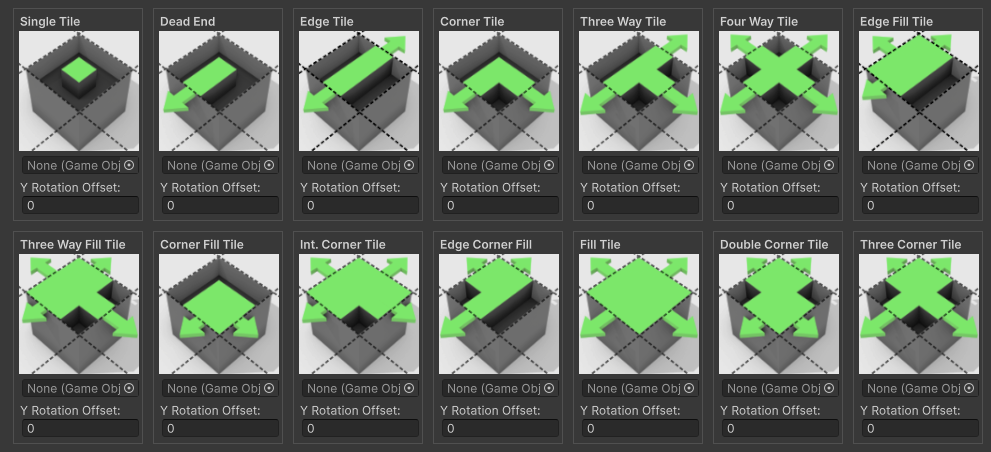
### Normal Grid tile types
* Single
* Dead End
* Edge
* Corner
* Threeway
* Fourway
* Edge Fill
* Threeway Fill
* Corner Fill
* Interior Corner
* Edge Corner Fill
* Fill
* Double Corner
* Tripple Corner