> For the complete documentation index, see [llms.txt](https://giantgrey.gitbook.io/tileworldcreator-v4-documentation/llms.txt). Markdown versions of documentation pages are available by appending `.md` to page URLs; this page is available as [Markdown](https://giantgrey.gitbook.io/tileworldcreator-v4-documentation/tile-preset.md).
# Tile Preset
A tile preset is an asset file which contains all required tile prefabs based on selected grid type (Dual or Standard).
To create a new Tile Preset simply right click in the project view and select: \ Create / TileWorldCreator / Tile Preset
Select the newly created Tile Preset asset file and choose the grid type (dual or standard grid)
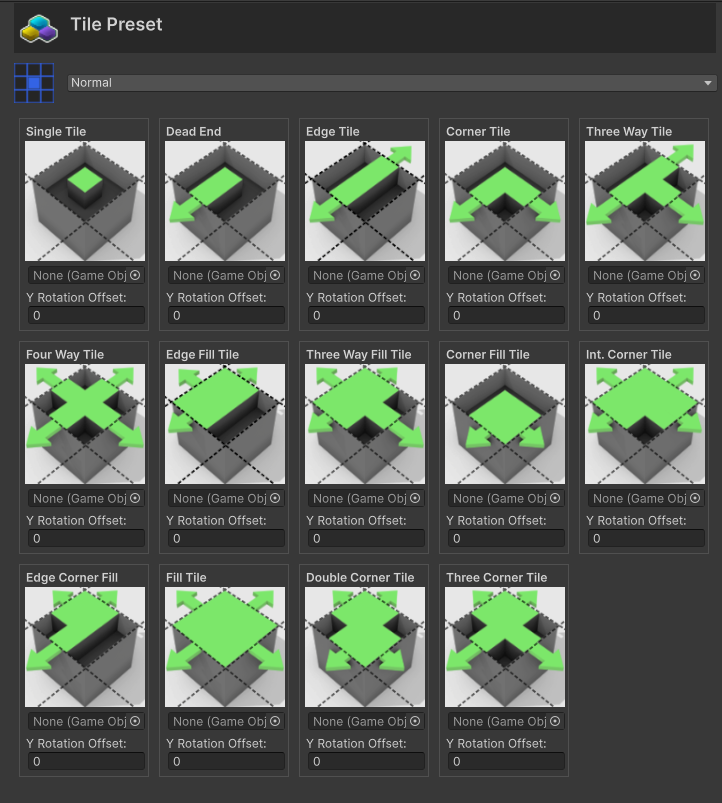
Standard Grid Tile Preset, requires 14 tile types
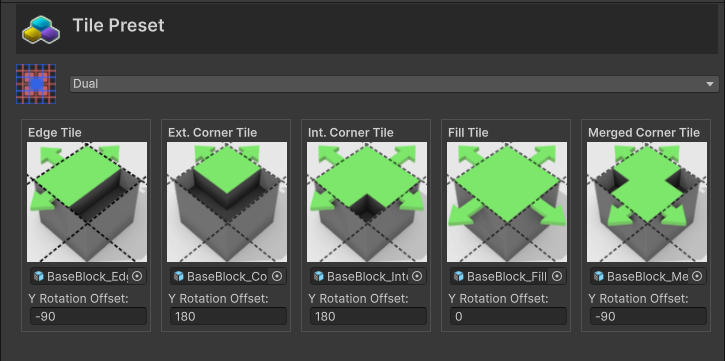
Dual Grid Tile Preset, requires 5 tile types.
Each Tile Type icon indicates which tile prefab should be assigned to the **Prefab** slot. If needed, you can also set an additional **Y Rotation Offset**.