> For the complete documentation index, see [llms.txt](https://giantgrey.gitbook.io/tileworldcreator-v4-documentation/llms.txt). Markdown versions of documentation pages are available by appending `.md` to page URLs; this page is available as [Markdown](https://giantgrey.gitbook.io/tileworldcreator-v4-documentation/dual-and-standard-grid.md).
# Dual- & Standard Grid
## Dual Grid
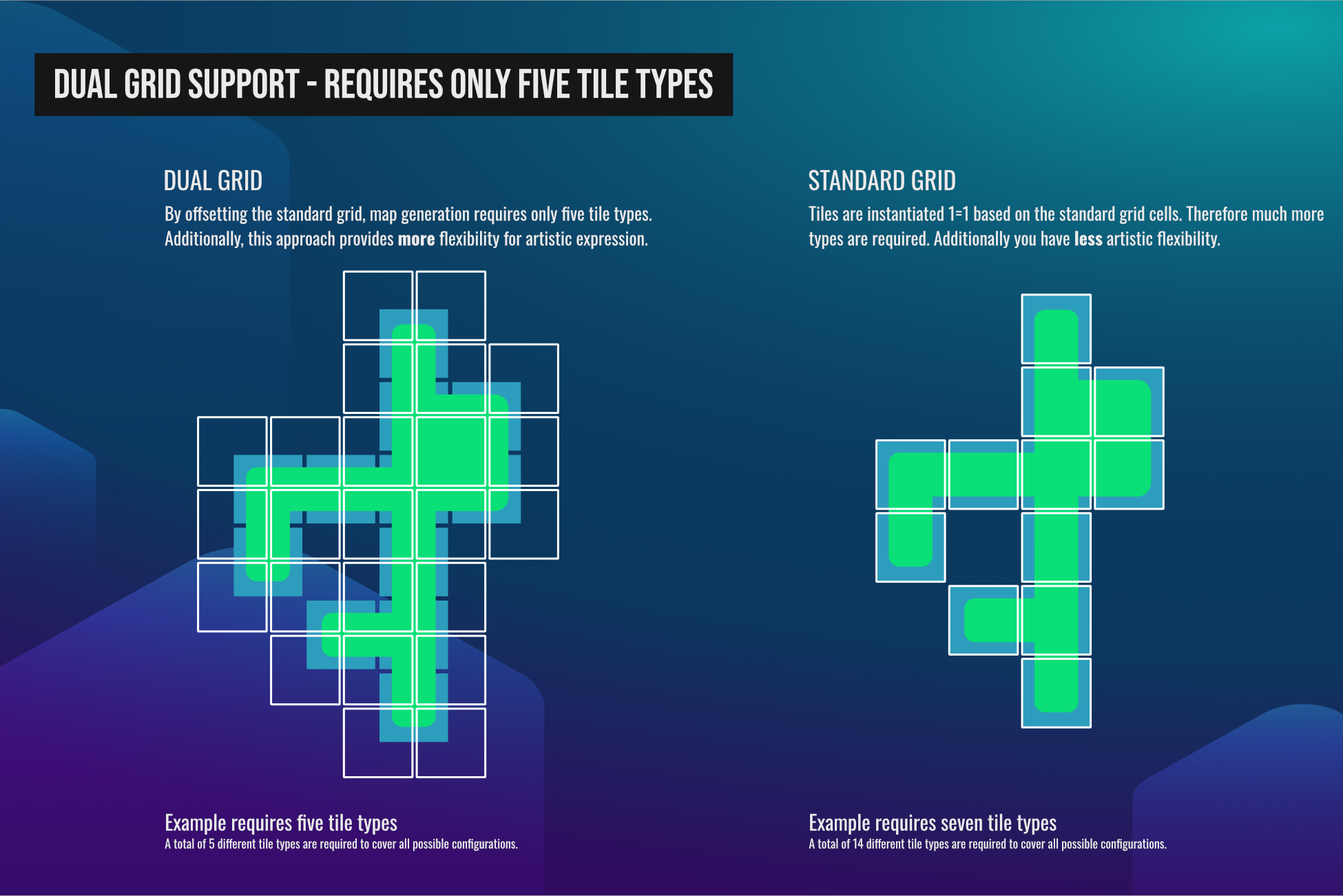
TileWorldCreator supports the creation of tilemaps using the dual grid workflow.\
This has been brought popular mainly by [Oskar Stålberg](https://x.com/OskSta) - Developer of Bad North and Townscapper.
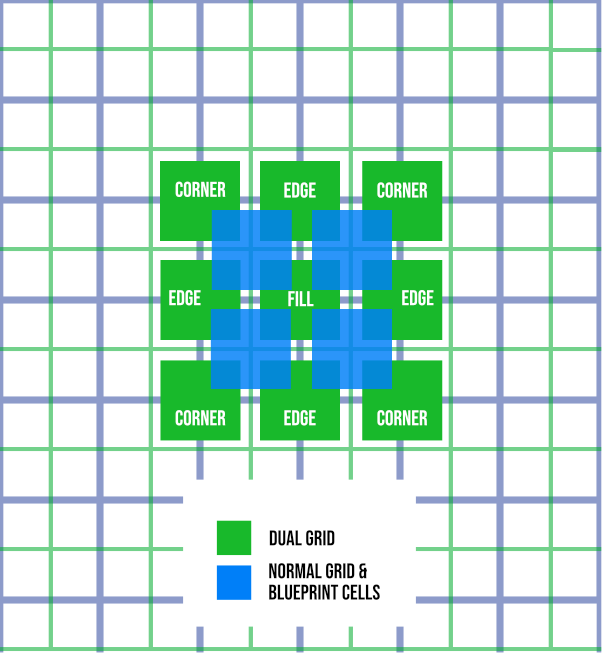
Dual Grid offsets the standard grid by half a cell, causing instantiated tiles to be placed with a slight offset. This approach significantly simplifies tile organization, requiring only five tile types. Artistically, it also provides more "space," allowing tiles to be fully round or more visually distinct.
This approach reduces required tiles from 14 to 5!
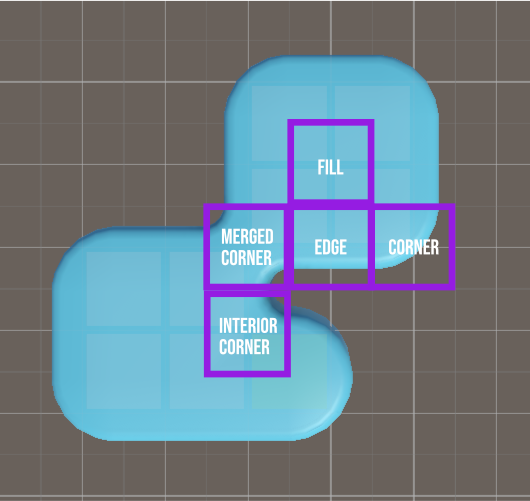
* Fill
* Edge
* Corner
* Interior Corner
* Merged Corner
## Standard Grid
In some cases, you may prefer to use the standard grid with 14 tiles. To do this, simply uncheck the **Use Dual Grid** option in the Build Layer and assign a Tile Preset with the **Standard Grid** type selected.\
The standard grid can still be ideal for things like road tiles or if you already have tilesets with 14 or more tile meshes/prefabs.